Type:
Information
Summary:
Encryptionizer for SQL FIPS 140-2 Validated supports Log shipping using an AES algorithm with up to 256-bit level encryption. Follow the configuration instructions below to implement
Additional Information:
SQL Log shipping with AES 256-bit level encryption is supported using Encryptionizer for SQL – driver version 2010.201.10 or later.
If you have Encryptionizer versions 2007.101.15 to 2008.401.40 you will need to refer to article KB240072: Log Shiping with Encryptionizer (driver v2008.401.40 and earlier)
Using the Admin Wizard on the primary machine:
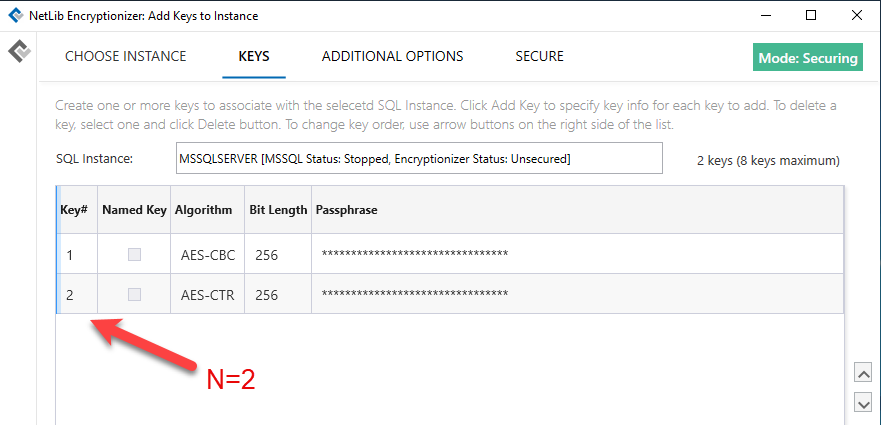
- Add your database key(s) on the Keys screen. It is recommended that you use AES-CBC or AES-ECB for your databases and backups. Add one additional key using the AES-CTR algorithm and note the Key number assigned in the list. This last key (Key N) will be assigned later for use with the shipping logs.
- In the Additional Options screen, check the Set the option to “Encrypt New Databases” or “Encrypt New Backups” or “Custom” on the Additional Options screen depending on what else you may wish to encrypt automatically upon creation. In this example, we are encrypting all new databases and all new backups.
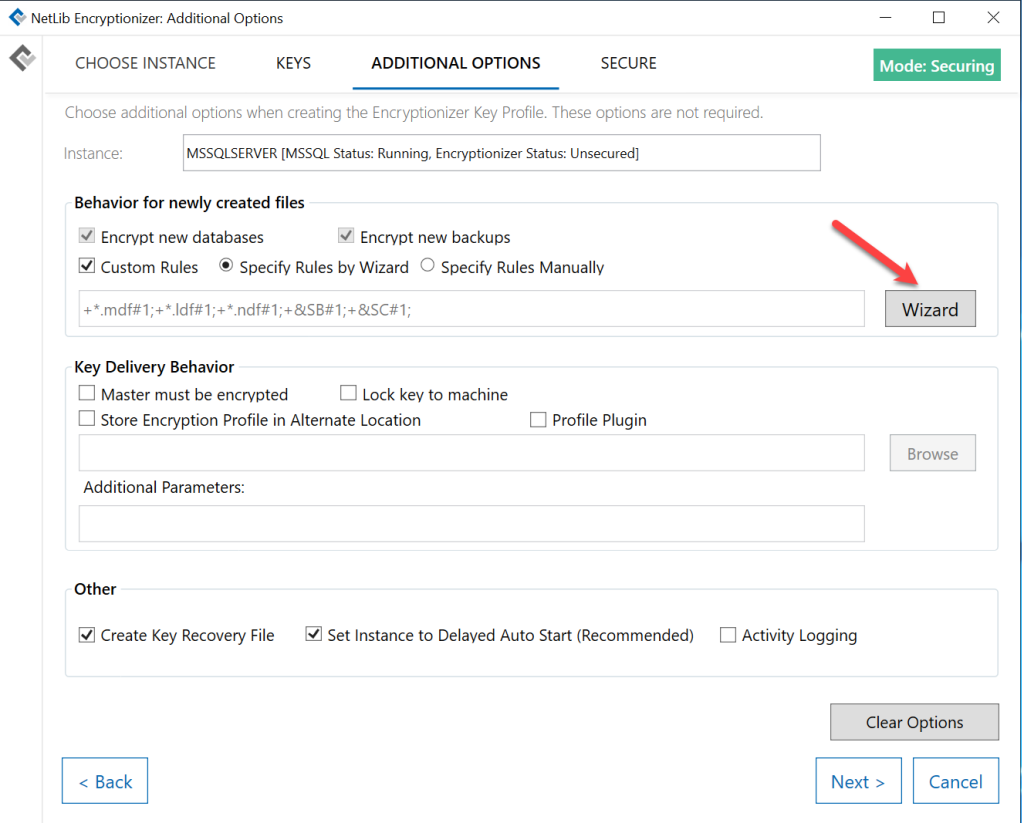
- Choose the “Wizard” button to customize rules. Set Key N (from the step above) to be used with the shipping log file extension (*.trn , 2, Include). (If you need to also encrypt newly created databases and backups, see the Whole Database User Guide for more detailed instructions.)
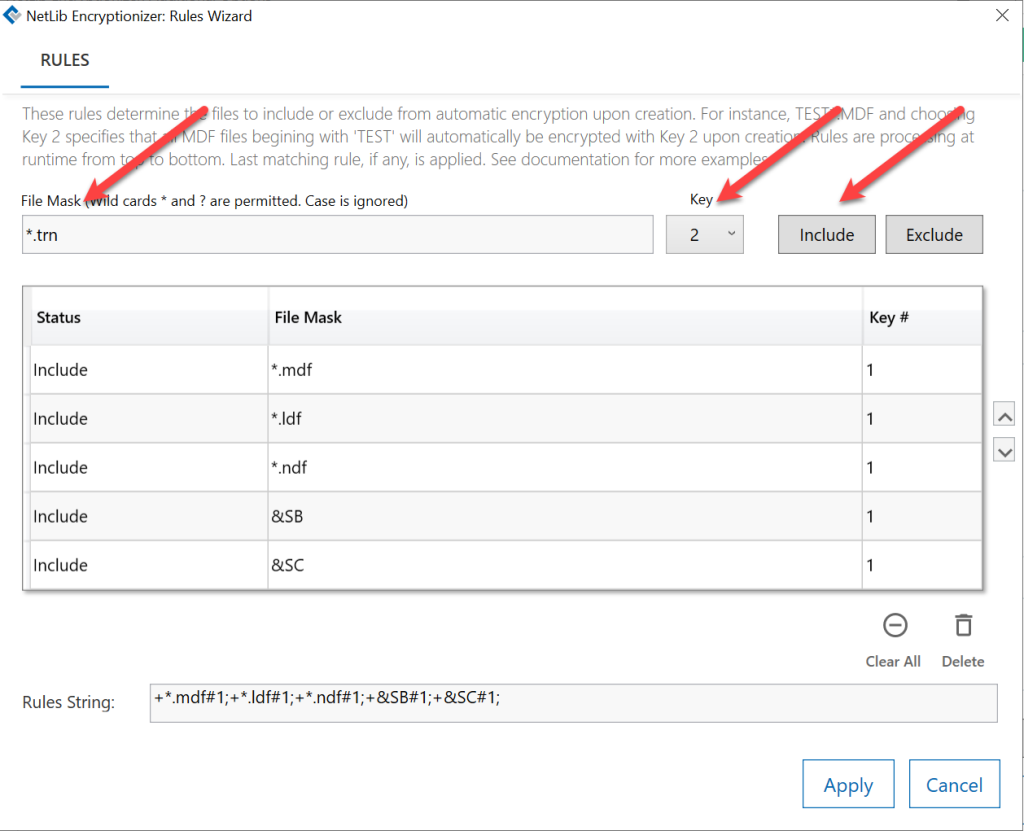
- Click Include to add the condition *.trn to the list, and then Apply.
- Back on the Additional Options screen, the rules section will look like this:

- Complete the rest of the Administration Wizard.
On the primary machine, using the Encrypt/Decrypt Wizard, encrypt the database files using an encryption key profile that matches one of the encryption keys set in the Admin Wizard (except Key N).
Set up the backup machine with the identical settings.
Related Topics:
240072: Log Shipping with Encryptionizer (driver v2008.401.40 and earlier)